Add a Sales Order Cheat Sheet
- May 20, 2025
- 1 min read
Updated: Jun 27, 2025
How to Add a Sales Order through Create New and Bulk Upload in Orders and Receivables Application
Goal 1: Create a Sales Order using Create New on the Dashboard
The Manager or Team Lead can add a sales order on the Fieldmobi Dashboard💻


Goal 2: Create a Sales Order through Bulk Upload on the Dashboard
Managers can add multiple sales orders using the Upload Data (Bulk Upload) button on the Fieldmobi Dashboard💻
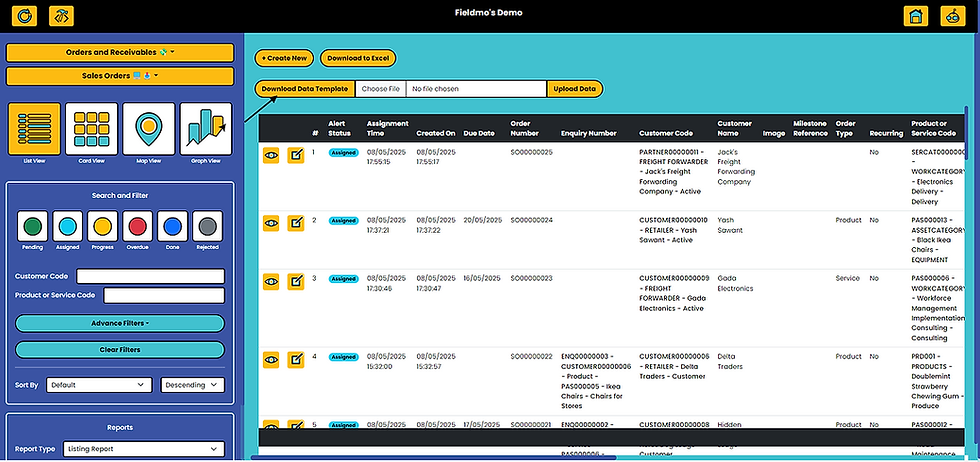
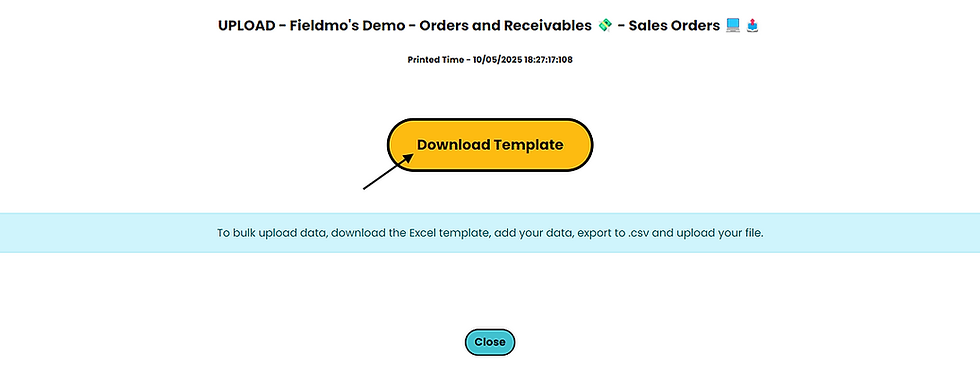
Add Sales Order details as per the downloaded template

Save the Excel file in CSV Format
Choose the CSV File that you just created and upload data

Upon successful completion of the Bulk Upload, you should be able to see "Complete data has been uploaded without Error" message


