Add an Asset Category Cheat Sheet
May 19, 2025
1 min read
Updated: Jun 27, 2025
How to Add Asset Category in Material Management Application through Create New or Bulk Upload
Goal 1: Add an Asset Category Through Create New on the Dashboard
If an Asset Category is not in the system yet, the Manager can add a new product on the Fieldmobi Dashboard under the Asset Category Master module💻


Goal 2: Add an Asset Category Through Bulk Upload on the Dashboard
If you wish to add multiple Asset Categories to the system, the Manager can add them using the Upload Data (Bulk Upload) button on the Fieldmobi Dashboard under the Asset Category Master module💻
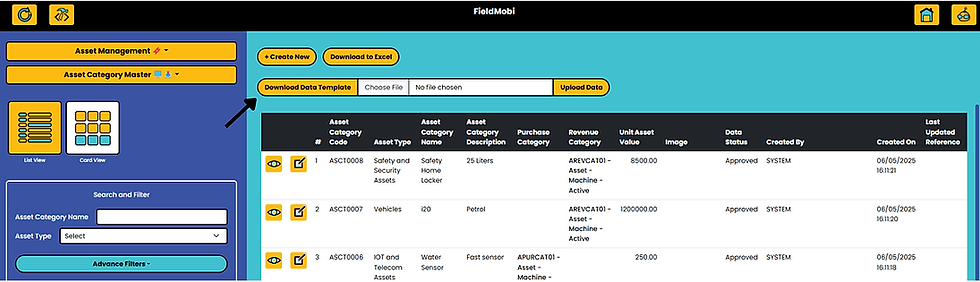

Add Asset Category details as per the downloaded template

Save the Excel file in CSV Format and Upload the file

