Add Purchase Classification Cheat Sheet
Updated: Jun 27, 2025
How to Add a Purchase Classification through Create New and Bulk Upload in Orders and Receivables Application
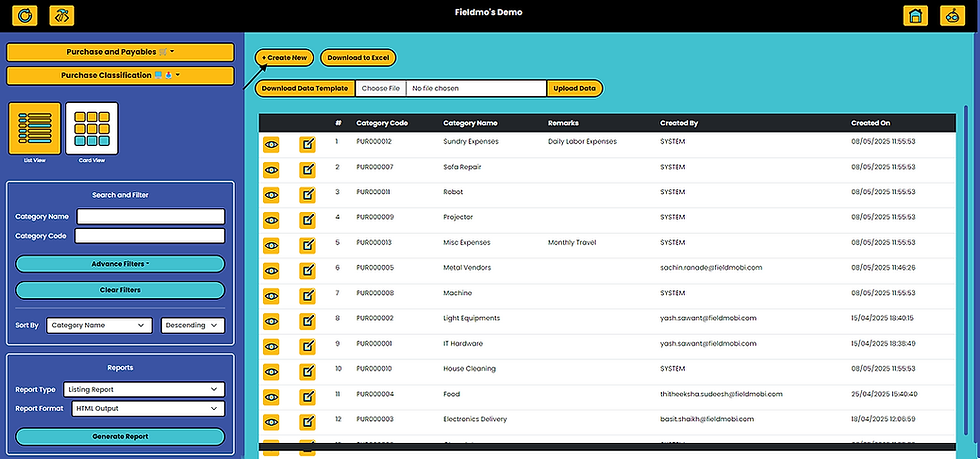
Goal 1: Add a Purchase Classification through Create New
Purchase Classification is the process of grouping expenses based on the type of goods or services acquired. This helps track spending patterns, improve budgeting, streamline reporting, and support better decision-making in procurement and cost control.

Goal 2: Add a Purchase Classification through Bulk Upload
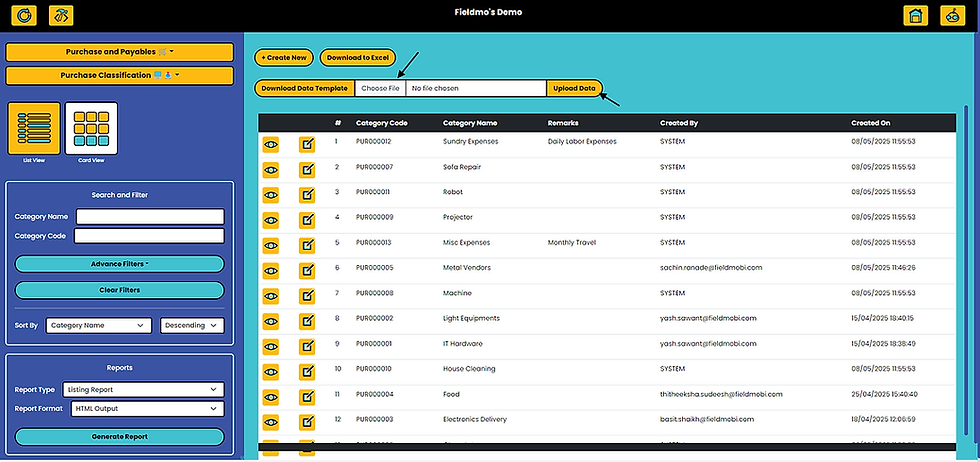
The Manager can add multiple Purchase Classifications using the Upload Data (Bulk Upload) button on the Fieldmobi Dashboard💻


Create Purchase Classifications as per the downloaded template

Save the Excel file in CSV Format
Choose the CSV File that you just created and upload data
Upon successful completion of the Bulk Upload, you should be able to see "Complete data has been uploaded without Error" message


